
Manager
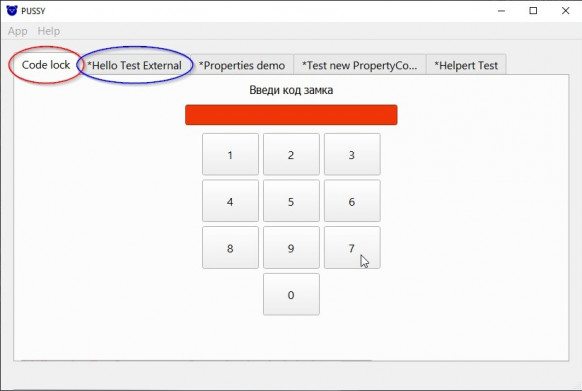
The Manager is a program that allows an user to interact with Plugins, in fact it is a package or in other words a set of scripts written on Python, it can have any implementation, the only requirement is that it must have GUI based on PySide6, the Manager embeds the Plugin interface into its interface as a tab, in this moment it is completely similar to an internet browser, only instead of websites we interact with the Plugin program. The interface of the Manager is shown on the image below, each plugin is located in a separate tab. By default, plugins are not initialized on startup, but when the user select the appropriate tab, so if it should be executed at startup, you should set the appropriate option.
The plugin management screen is shown bellow, the user can turn on/off any of them at any time; configure it, if the developers has provided this option, also, you can additionally: display information about the plugin; reset settings; set whether the plugin will be initialized when the Manager is started.

The plugin is just a Python package that the manager downloads at startup. The Manager searches for plugins in the Plugins folder or in the external directories specified in the Manager settings.
Plugin events are displayed on the Logs page. This is useful in cases when the Plugin is not working correctly. When everything is fine, the messages are highlighted in green, and if something is wrong, then in red.

As you can see, the idea of the Manager is extremely simple, it allows you to use a variety of independent scripts using just one application, and working with it will be absolutely familiar to those who use Internet browsers. It has a minimalistic and intuitive functionality that can be expanded in the future. If you want to develop your own plugins, then read Quick Start